Foxl v0.2.2 makes the app more useful day-to-day: more AI models to choose from, a browser that remembers your logins, smarter message editing, and easier troubleshooting when things go wrong.
More models, same interface
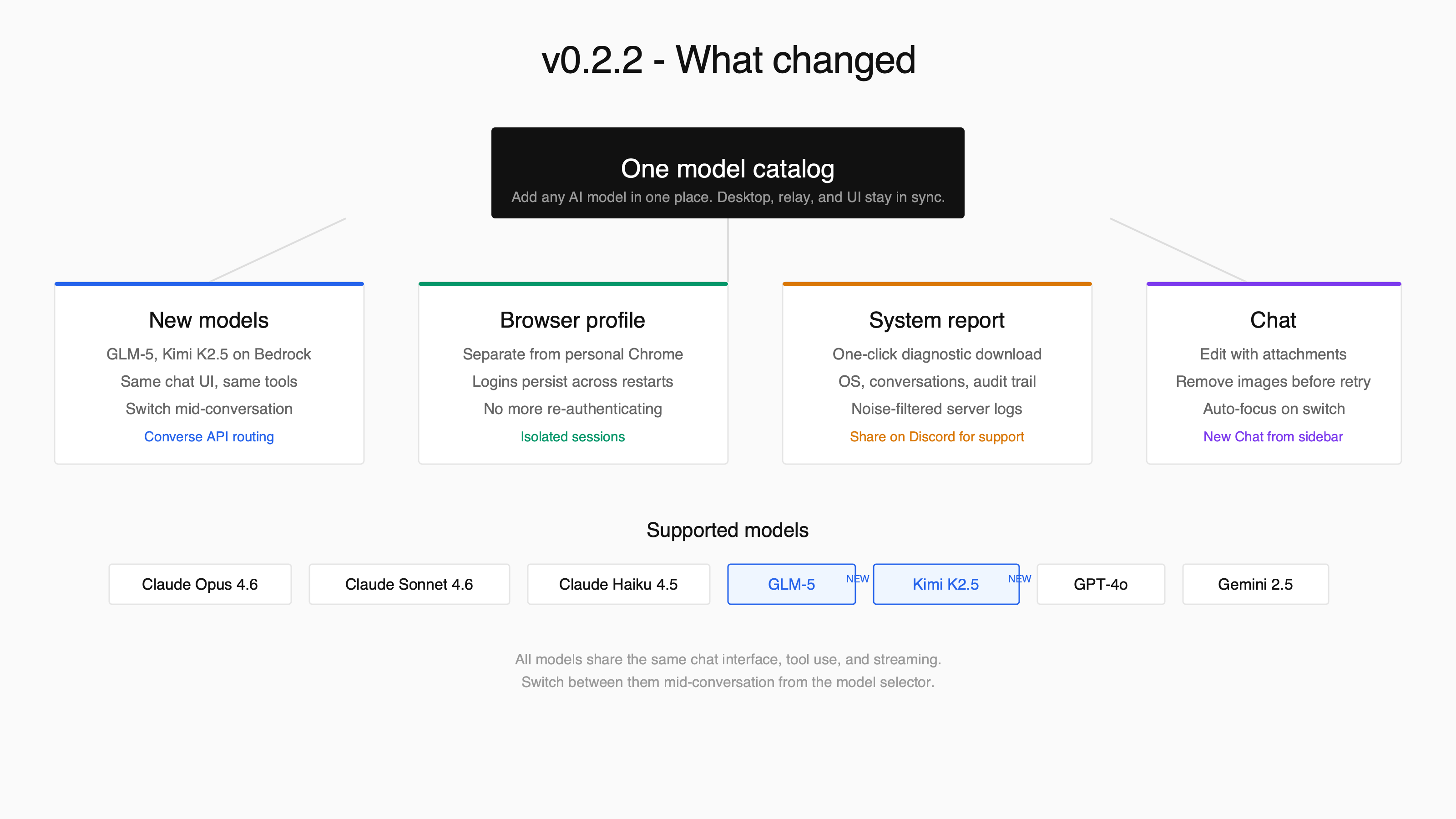
Foxl now supports non-Claude models on AWS Bedrock - including GLM-5 from Z.AI and Kimi K2.5 from Moonshot AI. You can switch between Claude, GLM, and Kimi mid-conversation from the same model selector. Tool use, streaming, and thinking blocks all work the same way regardless of which model you pick.
Behind the scenes, we rebuilt how models are registered so that adding a new one takes minutes instead of hours. When new models land on Bedrock, expect them in Foxl quickly.
Your browser, your logins
Before this update, Foxl's browser automation shared your personal Chrome profile. This meant the agent's browsing could interfere with your own tabs, and vice versa. Worse, if you had Chrome open, the agent sometimes could not launch a session at all.
Foxl now creates a dedicated browser profile. Your personal Chrome stays untouched. The agent's login sessions (Gmail, GitHub, Slack, etc.) persist across Foxl restarts - no more re-authenticating every time you reopen the app. You log in once through the agent, and it remembers.
Edit messages with attachments
You can now remove images or documents from a message before regenerating it. Click edit on any message, hit the X on attachments you want to drop, and regenerate. This is useful when an image confused the model or when you want to retry a prompt with just text.
Save and Regenerate also works even when you have not changed the text - just removing an attachment is enough to trigger a fresh response.
One-click system report
When something goes wrong, the hardest part is gathering the right information. Settings now has a System Report button that bundles everything into a single downloadable file: your OS and app versions, recent conversations, the audit trail, and server logs with noise filtered out.
If you need help on Discord, just attach the report - it has everything we need to diagnose the issue.
Quality of life
- Chat input auto-focuses when you switch conversations - no more clicking the text box
- New Chat shortcut: click "Chat" in the sidebar when you are already on the chat page
- Right-click context menus fully translated across all 10 languages
- Logs moved from the sidebar to Settings, keeping the nav clean
Full changelog at foxl.ai/changelog. Download from GitHub Releases.